
CastAI Review 2026: Pricing, OTOs, Features and an Honest Verdict
CastAI is an AI video platform that can transform an existing video into a different digital presenter. It can change the person’s face, outfit, voice and overall style while preserving the underlying performance. You can even rewrite the spoken message and have the software synchronize the presenter’s lips with the new script.
That is only the first half of the platform.
Once the video is ready, CastAI can place the presenter directly on a website. The presenter can welcome visitors, explain an offer and display clickable buttons leading to a checkout page, booking calendar or lead form.
In simple terms, CastAI tries to turn an ordinary video into an interactive salesperson that keeps working after you leave the room.
It is an appealing idea, especially for marketers who are tired of filming the same presentation repeatedly. Still, the low front-end price does not reveal the entire story. Some important capabilities—including 1080p output, multilingual translation and custom presenters—require optional upgrades.
This CastAI review examines what the software does, how its two main engines work, what every edition costs and where the platform’s limitations begin.
CastAI review: the quick answer
CastAI is most useful for businesses that already have a reason to use presenter-led video.
If you regularly create product demonstrations, sales videos, local-business promotions or client campaigns, the ability to reuse one performance across different scripts and presenters could save considerable production time. TalkingFaces also gives the finished video a practical job on a website instead of leaving it buried inside a conventional video player.
The platform is less compelling for someone who only needs one occasional talking-head video. Its credit system also matters. Although the main software is sold for a one-time price, generating new content consumes credits, and frequent users may eventually need to buy more.
| Review category | CastAI summary |
|---|---|
| Product type | AI video transformation and website-presenter platform |
| Main engines | Recast and TalkingFaces |
| Best for | Marketers, agencies, e-commerce sellers, coaches and local businesses |
| Starting price | $22+ for Core or $24+ for Full |
| Payment model | One-time front end with optional one-time and recurring upgrades |
| Base resolution | 720p |
| HD resolution | 1080p through CastAI Pro |
| Website deployment | Included with Full |
| Commercial licence | Included with the front end |
| Main limitation | Important features and additional credits are divided across upgrades |
| Overall verdict | Promising for repeat video production and website deployment, but buyers should understand the complete funnel before ordering |
A quick clarification: which CastAI is this?
There is another established technology company called CAST AI that provides cloud and Kubernetes optimization services. That is a different business.
This review concerns the CastAI AI-video product associated with GetCastAI.com. It uses Recast to transform presenter videos and TalkingFaces to deploy those presenters on websites.
The distinction matters because a general search for “CastAI” may return information about both products.
What is CastAI?
CastAI is a cloud-based AI video platform built around two connected tools:
- Recast, which transforms an existing video.
- TalkingFaces, which publishes the resulting presenter on a website.
Most AI avatar applications begin with text and produce a new talking-head clip. CastAI approaches the problem from a slightly different direction. It can start with an existing performance and change elements that would ordinarily require another recording session.
For example, imagine that a local estate agent records a 60-second property introduction. Two weeks later, the company wants a different presenter, new clothing, an updated offer and versions for several international audiences.
The traditional solution involves another presenter, another recording session and more editing.
With CastAI, the original performance can potentially become the foundation for those variations. The face, appearance, voice and script can be modified, while the revised mouth movements are generated to match the new speech.
Here’s what most people don’t know: changing the video is only part of CastAI’s proposition. The more interesting feature may be what happens afterward. TalkingFaces can place that presenter on a sales or product page with a clickable call to action.
The video is no longer just a file. It becomes part of the page’s conversion journey.
Recast and TalkingFaces explained
Recast: the video-transformation engine
Recast handles the creative transformation.
According to the official launch material, it can modify the presenter’s identity, clothing and visual style while retaining the motion from the source footage. It also supports voice cloning, object insertion and post-recording script changes.
Suppose an agency creates a video for a fitness client. The original presenter is dressed casually and discusses a general membership offer. With Recast, the agency could create other versions for personal training, corporate wellness or a seasonal promotion without filming the complete performance again.
That does not mean every source clip will produce an equally believable result. Clean footage will almost certainly matter. Stable framing, clear speech, good lighting and an unobstructed face give an AI transformation system better material to work with.
A shaky, poorly lit recording is still a shaky, poorly lit recording. AI can change a great deal, but it cannot magically turn every weak source into studio footage.
TalkingFaces: the website-deployment engine
TalkingFaces takes the finished presenter and places it on a website.
The presenter can appear as:
- A floating video overlay
- An inline presentation
- A website welcome message
- A product explainer
- A sales-page guide
- A presenter with clickable CTA buttons
The button can direct the visitor to a checkout page, booking calendar, contact form, product listing or another destination.
This is where CastAI becomes more than a face-changing application.
A standard video asks visitors to watch and then decide what to do next. A TalkingFaces presentation can make the next action visible inside the experience. The difference is similar to placing a salesperson beside a brochure instead of leaving the brochure alone on a desk.
Of course, a presenter cannot rescue a confusing offer. It still needs a focused script, a relevant audience and a clear call to action. “Sell on autopilot” is a marketing phrase, not a guarantee that every page will convert.
How CastAI works

The general workflow is straightforward.
Step 1: Upload or create a base video
Begin with an existing presenter-style video. The launch documentation also describes options for starting from a script or webpage URL.
A clean talking-head recording is likely to be the safest starting point. The presenter should be clearly visible, with natural movement and understandable audio.
Step 2: Choose or create a persona
Open Recast and select the presenter or visual identity you want to apply.
The Full edition includes 15 built-in spokespersons. The Spokesperson Pro upgrade expands the library to more than 100 and adds the ability to upload your own face or a client-approved face.
Step 3: Change the appearance
Adjust the face, outfit and style to suit the campaign.
A single performance could be adapted for different brands, industries or audience segments. A casual presenter might become more corporate for a consulting page, for example.
Step 4: Rewrite the script
Edit the spoken message without returning to the camera.
CastAI generates the replacement speech and adjusts the presenter’s mouth movements to fit it. This is useful when an offer, price, product name or call to action changes after the original video was recorded.
Step 5: Review the result
Check the voice, timing, facial movement and pronunciation before publishing.
This review step should not be skipped. AI output can look impressive at first glance while still containing small problems around teeth, hands, fast head movements, unusual names or technical vocabulary.
Step 6: Deploy with TalkingFaces
Choose the finished video inside TalkingFaces and create the website presentation.
Depending on the layout, it can appear as a floating presenter or an inline element. Full buyers receive unlimited website deployments, although generating new video content still consumes credits.
Step 7: Add a clickable call to action
Add button text and the destination URL.
Examples include:
- Buy Now
- Book a Consultation
- View the Product
- Claim the Offer
- Start a Free Trial
- Download the Guide
Step 8: Publish and test
Place the embed on the website and test it on desktop and mobile devices.
Check that it loads quickly, does not cover important page content and directs visitors to the correct destination. A presenter that blocks the checkout button will do more harm than good.
CastAI’s key features

Face and persona transformation
CastAI can change the identity and appearance of the person in an existing video. This provides a way to reuse the original movement and delivery across multiple campaigns.
Outfit and style changes
Clothing and presentation style can be adapted for different audiences. This may help agencies align one source performance with several client brands.
Script rewriting after recording
The spoken message can be changed after the footage has already been recorded. This is valuable for corrections, updated offers and split-testing different sales angles.
Automatic lip synchronization
When the script changes, CastAI attempts to rebuild the presenter’s mouth movements to match the new dialogue.
This is one of the platform’s more commercially useful features. A small pricing or product update would otherwise require another recording or an awkward voiceover.
Voice cloning
Voice cloning can help keep the same vocal identity across different versions. As with face uploads, a cloned voice should only be used with the speaker’s permission.
Object insertion
The launch documentation describes the ability to insert items into existing video. Potential examples include a product, sign, logo or promotional element.
The final realism will depend on the scene, object and source footage, so this is a feature worth testing rather than accepting purely from a demonstration.
AI Script Writer
CastAI can generate a starting sales script from a submitted webpage URL.
This can shorten the blank-page stage, but generated scripts still need human editing. A sales page may contain disclaimers, navigation text and exaggerated claims that should not be repeated blindly by a presenter.
Multilingual translation
CastAI Pro advertises translation into more than 300 languages with matched voice and native lip-sync.
That is a substantial claim. To be honest, buyers should expect results to vary between major languages and less common language varieties. Pronunciation, local phrasing and cultural tone should be reviewed by a fluent speaker before the video represents a business publicly.
1080p rendering
The Core and Full front-end editions render at 720p. CastAI Pro adds 1080p Full HD output.
For internal tests or small website overlays, 720p may be sufficient. For full-screen marketing assets and client-facing campaigns, 1080p is likely to be the more practical choice.
Website presenters
TalkingFaces can publish the presenter directly on websites. The Full front end includes TalkingFaces, 15 spokespersons and unlimited deployments.
Clickable CTA buttons
Buttons can be added to move viewers toward checkout, booking or lead generation. This closes the gap between watching the presentation and acting on it.
Commercial usage licence
The front end includes commercial usage rights, according to the launch documentation. That allows users to produce CastAI assets for clients.
Buyers should still read the current licence terms. “Commercial licence” does not automatically mean unrestricted resale of the software itself.
CastAI Core versus CastAI Full
The front-end offer has two versions.
| Feature | CastAI Core | CastAI Full |
|---|---|---|
| Recast transformation engine | Yes | Yes |
| Face, outfit and style changes | Yes | Yes |
| Script rewriting and lip-sync | Yes | Yes |
| Voice cloning | Yes | Yes |
| Object insertion | Yes | Yes |
| 720p rendering | Yes | Yes |
| Commercial usage licence | Yes | Yes |
| TalkingFaces deployment | No | Yes |
| 15 built-in spokespersons | No | Yes |
| Unlimited website deployments | No | Yes |
| Launch price | $22+ | $24+ |
The price difference is only about $2 during the stated launch offer.
For that reason, Full appears to be the more logical front-end selection for most buyers. Core makes sense only if you are certain that you want video transformation without the website-presenter functionality.
CastAI pricing and complete funnel
CastAI uses a launch-style sales funnel. The front-end price gets the customer into the platform, while optional bumps and OTOs unlock higher resolution, more presenters, translation and additional credits.
The following prices come from the official JV launch documentation and were last reviewed on July 13, 2026.
| Offer | Price | What it adds |
|---|---|---|
| CastAI Core | $22+ one-time | Recast, 720p output and commercial usage |
| CastAI Full | $24+ one-time | Core plus TalkingFaces, 15 spokespersons and unlimited deployments |
| Fast Track | $197 one-time | OTOs 1–3, premium features and 10,000 total credits |
| OTO 1: CastAI Pro | $67 one-time | 1080p, 300+ languages, matched voice and 2,400 credits |
| OTO 2: Spokesperson Pro | $67 one-time | 100+ presenters, custom-face uploads, TalkingFaces for Core buyers and 2,400 credits |
| OTO 3: Credit Booster | $77 one-time | 3,000 non-expiring credits |
| Credit Max | $147 per year | 6,000 credits replenished annually |
Prices can change after launch. Confirm the amount, billing frequency and refund terms on the checkout page before paying.
Understanding the CastAI OTOs
An OTO, or one-time offer, is an optional upgrade shown after the initial purchase. You do not need every upgrade simply because it appears in the funnel.
The biggest mistake people make is deciding under pressure while moving through checkout. Work out what you need beforehand.
OTO 1: CastAI Pro
Price: $67 one-time
CastAI Pro adds:
- 1080p Full HD rendering
- Translation into 300+ languages
- Native lip-sync
- Matched AI voice
- 2,400 additional credits
Pro is the most relevant upgrade for client-facing videos, international campaigns and buyers who do not want to remain at 720p.
If you only plan to test short website overlays, you may be comfortable starting without it. If polished HD output is essential, include Pro in your budget from the beginning.
OTO 2: Spokesperson Pro
Price: $67 one-time
Spokesperson Pro adds:
- More than 100 built-in spokespersons
- Upload-your-own-face functionality
- Client-face uploads
- Full TalkingFaces access for Core buyers
- 2,400 additional credits
This upgrade is aimed primarily at agencies, freelancers and brands requiring a wider selection of identities.
A solo user who is satisfied with the 15 Full-edition spokespersons may not need it.
OTO 3: Credit Booster
Price: $77 one-time
Credit Booster provides:
- 3,000 additional credits
- Non-expiring credit balance
- One-time payment
This is production capacity rather than a new creative feature. It makes sense when you already know that you will generate enough videos to use the credits.
Several early third-party reviews incorrectly listed this upgrade at $147. The official JV information supplied for the launch lists Credit Booster at $77 one-time. The separate Credit Max offer is the $147 recurring option.
Credit Max
Price: $147 per year
Credit Max adds 6,000 credits to the account each year.
This is the recurring component of the funnel. It may suit an agency producing videos continuously, but occasional users should not add a yearly commitment until they understand their normal credit consumption.
The offer material does not provide a sufficiently clear public table showing the precise credit cost of every type and length of generation. That is one of the questions buyers should clarify before committing to an annual credit plan.
CastAI Fast Track bundle
Fast Track is the checkout option for buyers who want the three principal OTOs immediately.
It costs $197 and includes:
- CastAI Pro
- Spokesperson Pro
- Credit Booster
- 1080p rendering
- Translation
- More than 100 spokespersons
- Custom-face uploads
- Full TalkingFaces access
- 10,000 total credits
Here is the useful part.
Buying OTOs 1–3 separately costs $211 and supplies 7,800 credits:
- OTO 1: $67 and 2,400 credits
- OTO 2: $67 and 2,400 credits
- OTO 3: $77 and 3,000 credits
Fast Track costs $197 and supplies 10,000 credits.
| Upgrade route | Price | Total credits |
|---|---|---|
| OTOs 1–3 separately | $211 | 7,800 |
| Fast Track | $197 | 10,000 |
| Fast Track advantage | $14 less | 2,200 more |
Assuming the final checkout matches the JV documentation, Fast Track is the stronger value for someone who already intends to purchase all three OTOs.
Do not purchase Fast Track and then buy the same OTOs again. Their core benefits overlap.
What does the complete CastAI setup cost?
The headline price is not the same as the complete-platform price.
Here are several realistic buying scenarios:
| Buying scenario | Initial cost |
|---|---|
| Core only | $22+ |
| Full only | $24+ |
| Full plus Pro | $91 |
| Full plus Pro and Spokesperson Pro | $158 |
| Full plus OTOs 1–3 | $235 |
| Full plus Fast Track | $221 |
| Full plus all individual OTOs and first year of Credit Max | $382 |
| Full plus Fast Track and first year of Credit Max | $368 |
Credit Max renews at $147 per year unless cancelled under the current terms.
For most website marketers, the sensible paths appear to be:
- Full only for basic transformation and website deployment.
- Full plus Pro for 1080p and multilingual work.
- Full plus Fast Track for serious or agency-level production.
Practical CastAI use cases
E-commerce product pages
A presenter can introduce a product, explain its benefits and send visitors directly to the checkout.
This could be particularly helpful when the product needs more explanation than a photograph and a short description can provide.
Local-business websites
A dentist, estate agent, gym or legal practice could use a website presenter to welcome visitors and explain the next step.
The presenter should have one clear task. Asking it to introduce the business, explain five services, answer every objection and close the sale in one video will probably produce a muddled experience.
Agencies and freelancers
The commercial licence creates an opportunity to offer:
- AI spokesperson videos
- Localized campaign versions
- Website-presenter installation
- Product-page videos
- Script-update services
- Client-specific presenters
The software does not automatically create an agency, of course. Client acquisition, project management, consent and quality control remain human responsibilities.
Coaches and course creators
One teaching or promotional performance could be adapted for several courses, audience segments or geographic markets.
Affiliate marketers
Affiliate marketers could create presenter-based product explanations without appearing on camera themselves.
The review still needs honest disclosure. A synthetic presenter should not be used to fabricate personal product experience or testimonials.
SaaS demonstrations
A presenter can guide visitors through a software feature and point them toward a trial or booking link.
Multilingual campaigns
Pro users can produce translated versions of a core presentation. Every important translation should be checked by someone who understands the language and target market.
CastAI pros and cons
What CastAI does well
- Combines video transformation and website deployment
- Reuses existing performances instead of requiring constant reshoots
- Allows script changes after recording
- Adds automatic lip synchronization
- Supports voice cloning and visual changes
- Gives website presenters clickable calls to action
- Includes commercial usage rights on the front end
- Offers a low-cost entry point
- Provides a potentially valuable agency service
- Full includes unlimited website deployments
Where CastAI has limitations
- The front end is limited to 720p
- 1080p requires CastAI Pro
- Translation requires an upgrade
- The larger spokesperson library requires Spokesperson Pro
- Custom faces are not included with the basic Full offer
- New content consumes credits
- Public credit-consumption information is not sufficiently detailed
- Translation and lip-sync quality may vary
- Results depend on the source video
- The product is cloud-based and requires an internet connection
- The complete funnel costs far more than the headline price
- It is a new launch without a long independent performance record
What I like most about CastAI
The face transformation is attention-grabbing, but it is not the part I find most interesting.
The strongest feature is the connection between an editable video and an immediate website action.
Let me explain. Plenty of tools can generate a presenter video. The user downloads the file, uploads it somewhere and then has to work out how it fits into the page. CastAI attempts to connect those steps. Recast creates the variation; TalkingFaces turns it into an on-page presenter with a CTA.
That is a more complete marketing workflow.
The ability to revise a script after filming may also have practical value beyond dramatic persona swaps. Offers change. Prices change. Product names change. A single corrected sentence should not always require a new recording session.
What concerns me about CastAI
The first concern is pricing clarity.
Calling the product a $22 or $24 tool is technically accurate for the entry offer, but it does not represent the cost of 1080p output, translation, custom faces or sustained high-volume use. Those features can push the real purchase above $200.
The second concern is the credit model.
“Unlimited website deployments” sounds generous, but deployment and production are different things. You can place presenters on many websites, while creating fresh videos still uses credits.
The third concern is the product’s age. CastAI launched recently. Most currently available reviews are based on sales documentation or controlled vendor demonstrations rather than months of real-world use.
That does not make the software unreliable. It simply means buyers should separate demonstrated features from long-term assumptions.
Who should consider CastAI?
CastAI may be a good fit if:
- You regularly create presenter-led marketing videos
- You want to update scripts without reshooting
- You manage campaigns for several clients
- You need multiple presenter identities
- You want a talking presenter on a website
- You create localized campaign variations
- You can turn AI spokesperson production into a paid service
- You have clean source footage and time for quality review
Who should skip it?
CastAI may not be right for you if:
- You only need one or two videos
- You expect cinema-quality manual control
- You do not want to manage credits
- You require 1080p but only want the base edition
- You are uncomfortable reviewing synthetic-media output
- You do not have permission to use the faces or voices involved
- You expect the software itself to fix a weak offer
- You require a long, independent product history before purchasing
Responsible use of faces and voices
The ability to upload a face or clone a voice comes with responsibility.
Only use identities you own or have explicit permission to use. Client approval should be documented. Viewers should not be deliberately misled into believing a synthetic presenter is a real testimonial, employee or public figure.
Responsible use protects the subject, the audience and the business publishing the content.
It also produces better marketing. Trust is difficult to earn and surprisingly easy to lose.
Is CastAI worth buying?
CastAI is worth considering when one recorded performance needs to serve several campaigns, clients, presenters or markets.
Recast can reduce the need for repeated filming. TalkingFaces gives the finished presenter a clear role on a website. Together, they form a more useful system than a basic face filter or standalone avatar generator.
The Full edition appears to offer the strongest entry-level value because it costs only slightly more than Core while adding TalkingFaces, 15 spokespersons and unlimited website deployment.
CastAI Pro is the logical next step for buyers needing 1080p or translation. Spokesperson Pro is more relevant to agencies and custom-identity projects. Fast Track makes financial sense when you already know you want all three principal upgrades.
Still, there is no reason to buy every offer automatically.
Start with the result you need. Then choose the smallest configuration that can produce it.
CastAI FAQ
Is CastAI an AI avatar generator?
CastAI has avatar-like capabilities, but it is better described as a video-transformation and website-presenter platform. Recast modifies existing video, while TalkingFaces deploys the presenter on a website.
What is the difference between Recast and TalkingFaces?
Recast transforms the presenter, appearance, voice and script. TalkingFaces publishes the resulting presenter on a website with overlays and clickable buttons.
How much does CastAI cost?
The stated launch price begins at $22+ for Core and $24+ for Full. Optional upgrades range from $67 to $197, while Credit Max costs $147 per year.
Which CastAI edition should I buy?
Core is intended for video transformation. Full adds TalkingFaces, 15 spokespersons and unlimited website deployments. Because the stated launch-price difference is small, Full is the more practical choice for most website marketers.
Does CastAI include 1080p video?
Not in the basic front-end editions. Core and Full provide 720p rendering. CastAI Pro adds 1080p Full HD output.
Can CastAI translate videos?
CastAI Pro advertises translation into more than 300 languages with matched voice and lip synchronization. Translation quality should be reviewed by a fluent speaker.
Can I upload my own face?
Custom-face uploads are included with Spokesperson Pro and Fast Track, according to the launch documentation.
How many spokespersons are included?
CastAI Full includes 15 spokespersons. Spokesperson Pro expands the library to more than 100.
Can CastAI change a script after recording?
Yes. CastAI allows the script to be rewritten and then regenerates the speech and lip movements.
Does CastAI work on WordPress?
TalkingFaces generates a website embed. It should work on WordPress and other platforms that permit the required embed code, but compatibility should be tested with the specific site builder and security configuration.
Are website deployments really unlimited?
The Full edition advertises unlimited website deployments. However, generating new or transformed content uses credits. Deployment limits and generation credits should not be treated as the same thing.
Does CastAI charge a monthly fee?
The front end and most upgrades use one-time prices. Credit Max is a recurring $147-per-year offer. Additional credits may also be required by frequent users.
Do CastAI credits expire?
The 3,000 credits supplied through OTO 3 are described as non-expiring. Confirm the current conditions for every other credit allocation at checkout.
Does CastAI include a commercial licence?
The front end includes commercial usage rights according to the launch documentation. Review the final licence terms before selling services or client deliverables.
Can I buy CastAI OTOs separately?
OTOs are normally presented after purchasing the front end. Buyers should not purchase an upgrade without the required base account.
Is Fast Track better than buying the OTOs separately?
For buyers who want OTOs 1–3, Fast Track appears better based on the launch documentation. It costs $197 instead of $211 and supplies 10,000 credits instead of 7,800.
Is CastAI the same as CAST AI for Kubernetes?
No. The video platform reviewed here is associated with GetCastAI.com. CAST AI at Cast.ai is a separate cloud-infrastructure company.
Does CastAI guarantee more sales?
No. A website presenter may improve clarity or engagement, but results depend on the offer, traffic, script, page design and audience. No software can guarantee conversions or income.
What is the CastAI refund policy?
Refund information should be confirmed directly on the live checkout and applicable product terms before purchasing. Save a copy of the policy shown at the time of order, particularly before consuming credits.
Final verdict
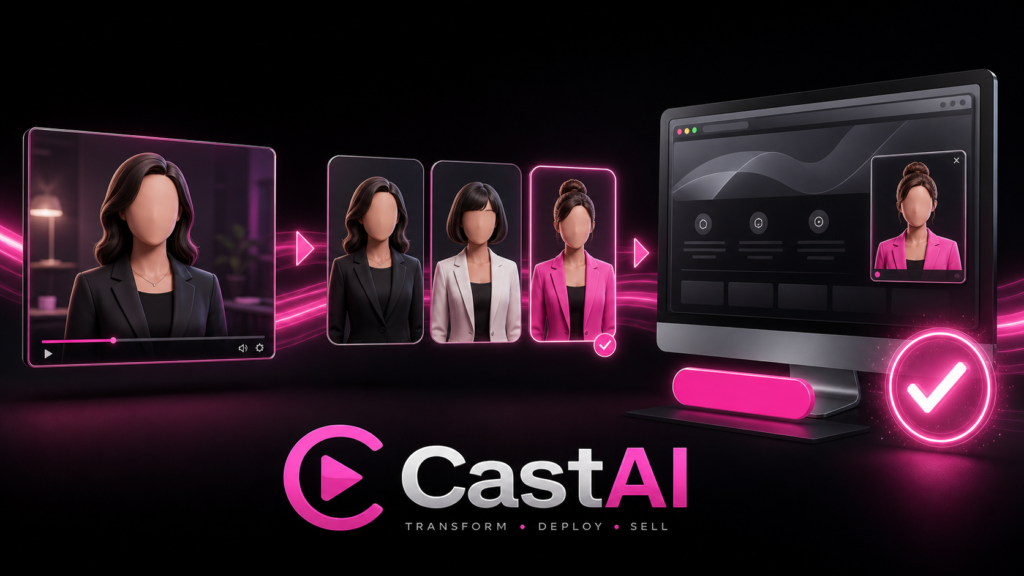
CastAI addresses a genuine production problem: businesses often need multiple versions of the same presenter-led message, but traditional reshoots are slow and expensive.
Recast makes the original performance editable. TalkingFaces gives the finished video a permanent role on a website. That combination is CastAI’s clearest advantage.
The platform is not a magic salesperson. It will not repair weak copy, poor targeting or a confusing checkout experience. It also becomes more expensive once 1080p, translation, custom presenters and additional credits enter the picture.
For occasional users, Full may be enough. For international campaigns, add Pro. Agencies that require custom identities should consider Spokesperson Pro. Buyers who need the entire upgrade set will likely obtain better value through Fast Track.
The sensible approach is simple: understand the funnel, verify the current terms and purchase according to the work you will actually produce—not according to the number of upgrade pages placed in front of you.